 AI Limits

Know your AI limits before you hit them
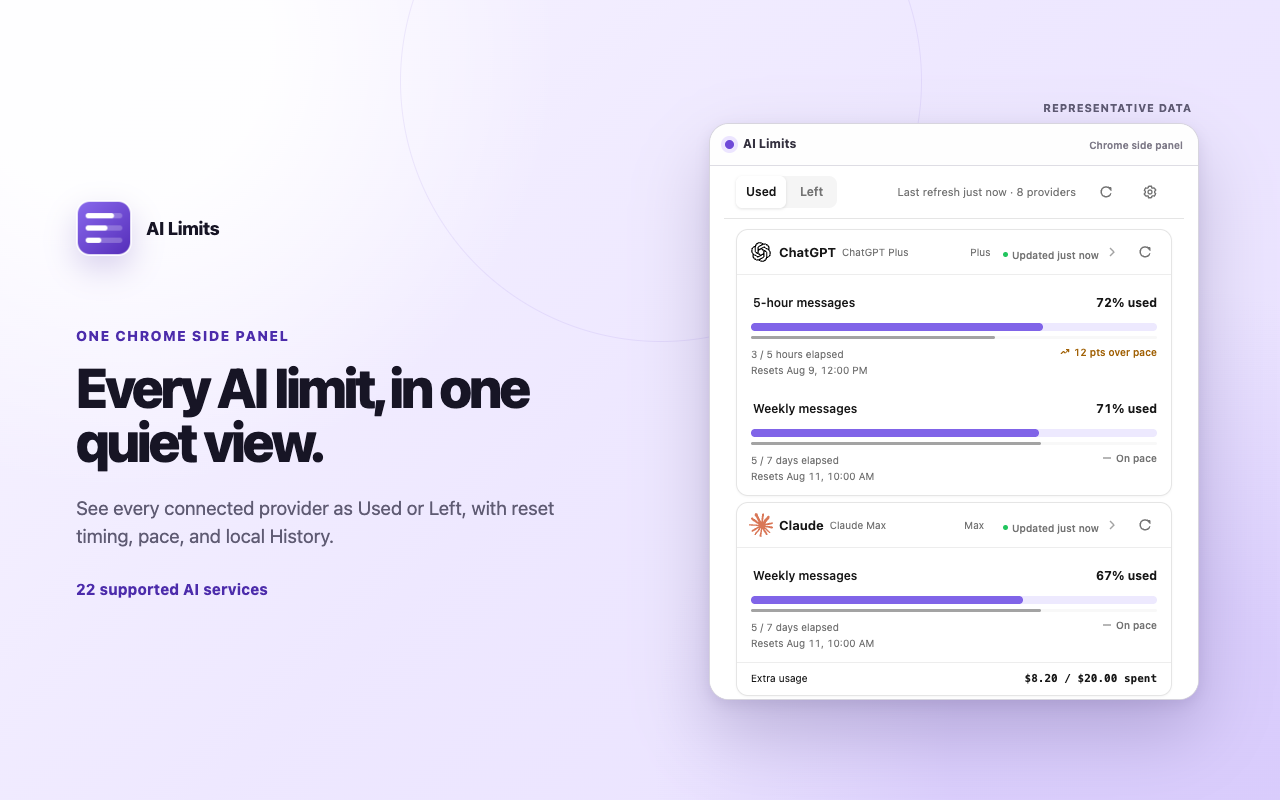
AI Limits is a free Chrome extension that shows how much of every AI plan you have left, when it resets, and whether you’re on pace, for ChatGPT, Claude, Cursor, and 20 more services, in one side panel.
- Free
- Open source
- No account
- No tracking
Up and running in a minute
Add to Chrome
Install AI Limits from the Chrome Web Store. It starts empty, with nothing connected.
Connect what you use
Pick a service and approve its permission. Subscriptions use the account you’re already signed in to; API accounts use a key you paste.
Check at a glance
Open the side panel to see what’s left. Most services refresh about every 15 minutes in the background, even when the panel is closed.
Everything you need to pace your AI usage
Every plan in one panel
Chat subscriptions, coding assistants, API credit balances, and self-hosted gateways, side by side instead of scattered across account pages.
Used or Left
Flip every meter to the view that makes sense to you, and see the plan name where the service reports it.
Reset countdowns
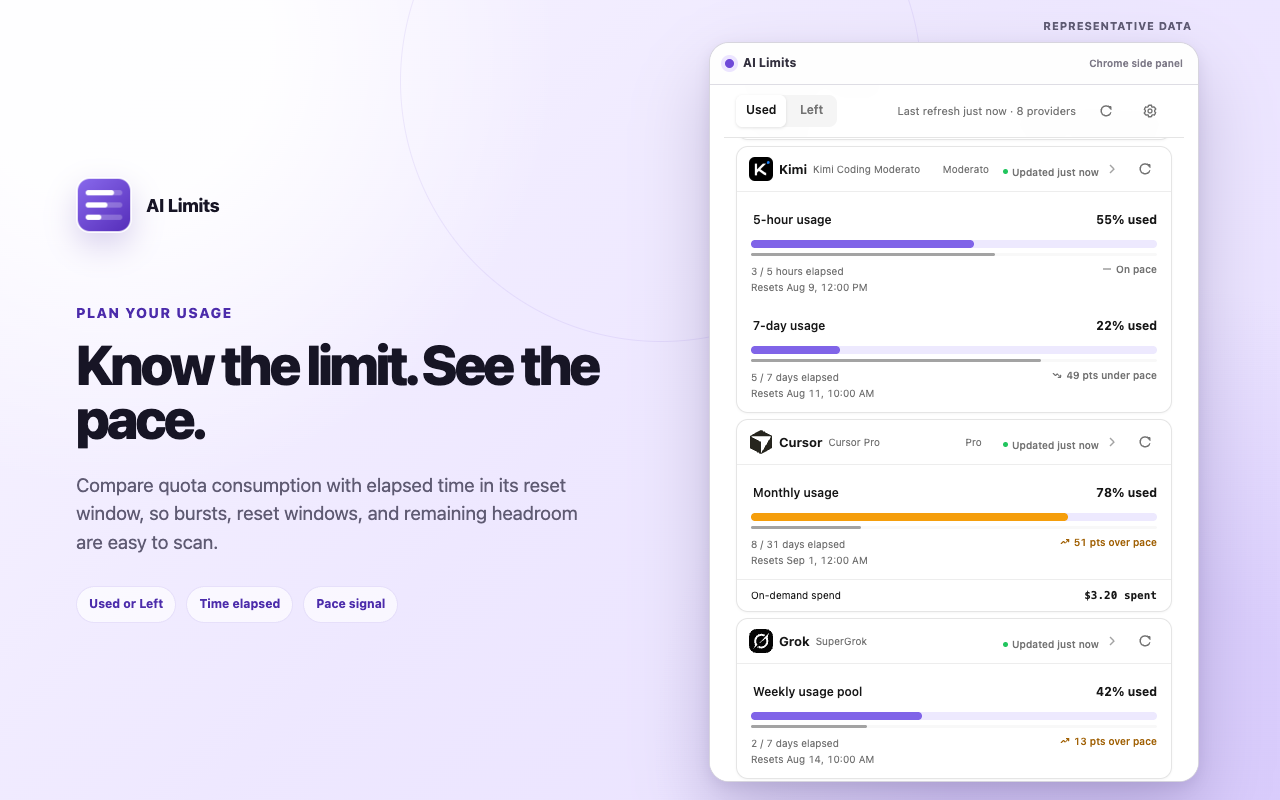
See when each usage window refills, where the service reports a reset time, so you know whether to wait, slow down, or switch to another tool.
Pace
When a service reports a full reset window, AI Limits compares how much you’ve used with how much time has passed, so you see early if you’ll run out.
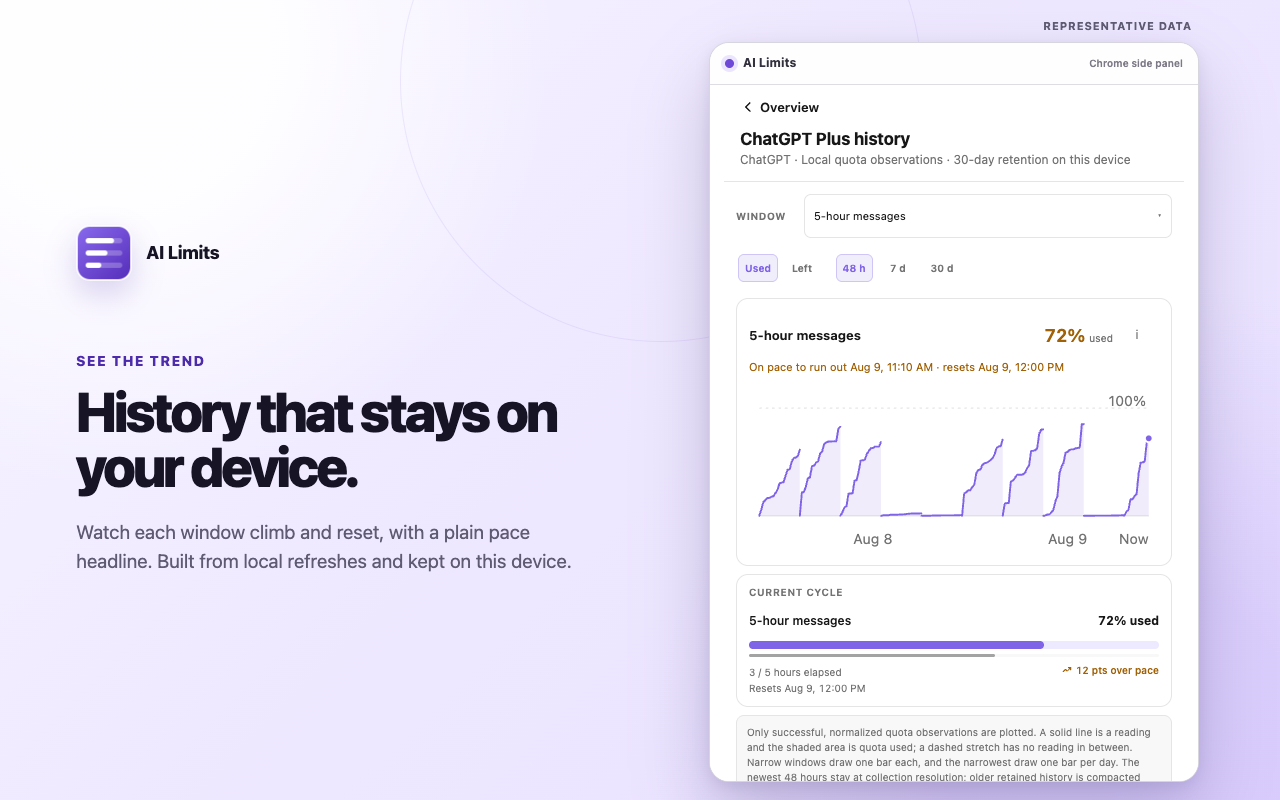
30 days of history
Open any window to see how usage climbed and reset. Prepaid balances are charted too, with top-ups marked.
Your layout
Drag services into the order you want, or hide one without disconnecting it. English and Simplified Chinese.
Works with 23 AI services
- ChatGPT
- Claude
- Kimi
- Cursor
- Grok
- Mistral
- Perplexity
- ElevenLabs
- New API
- LiteLLM
- ClawRouter
- sub2api
- LLM Proxy
- DeepSeek
- Moonshot
- DeepInfra
- Fireworks
- OpenAI
- GroqCloud
- OpenRouter
- Droid
- GLM
- Warp
Private by design
- Usage is read straight from each service and stored in your browser. There is no AI Limits server.
- AI Limits uses your sign-in session or API key only to fetch plan, usage, and balance data, and keeps only what it needs to show your limits. It never reads your prompts or conversations.
- Each service is opt-in and asks for its own Chrome permission.
- No account, no ads, no analytics, no telemetry. The code is open source under the MIT license.
Questions
Is AI Limits free?
Yes. AI Limits is free and open source under the MIT license. There is no paid tier and no account to create.
Can AI Limits see my prompts or conversations?
No. It reads the plan, usage, limit, and balance information each service reports. It does not read page text, prompts, conversations, or generated responses.
Where is my data stored?
In your own Chrome profile. Usage History is kept for up to 30 days on your device and is never sent to the developer or anyone else. Disconnecting a service deletes the data AI Limits saved for it.
Do I need to keep the side panel open?
No. While Chrome is running, AI Limits refreshes most services about every 15 minutes in the background, and shows the latest data when you open the panel. A few services refresh some details only when you refresh by hand, and Grok refreshes in the background only while a grok.com tab is open; the full FAQ explains.
Which browsers are supported?
Google Chrome 116 or later on desktop.
My AI service isn’t supported. Can you add it?
Open an issue on GitHub with the service you’d like to see, and include a link to its usage or billing page.
Stop guessing what’s left
Free, private, and set up in a minute.